
If a vendor told you SharePoint Server 2019 ended and the replacement is their product, slow down. Two Microsoft products left extended support. A third, Subscription Edition, is still the on-premises path Microsoft’s own lifecycle page points at. SharePoint Online is a different decision: the library leaves your building. A document suite answers a narrower job than either of those, and only after you know which job you have.
What the lifecycle table actually says
These are Microsoft’s dates, not a secondary roundup. Support timestamps on the lifecycle pages are Pacific Time.
| Product | Policy | Mainstream end | Extended end / retirement |
|---|---|---|---|
| SharePoint Server 2016 | Fixed | 14 July 2021, 06:59:59 | 15 July 2026, 06:59:59 |
| SharePoint Server 2019 | Fixed | 10 January 2024, 06:59:59 | 15 July 2026, 06:59:59 |
| SharePoint Server Subscription Edition | Modern | — | Listed as In Support. No end date on the page |
As of 24 September 2026, Server 2016 and Server 2019 are past extended support. Keeping either farm running is an unsupported system, not a holding pattern with a calendar behind it.
Subscription Edition started on 2 November 2021. Its lifecycle page lists retirement as “In Support” under the Modern policy, and does not publish an end date. Do not read that as permanent. Read the retirement field again before you freeze a design on it.
The 2019 lifecycle page links its migration guidance to an upgrade to Subscription Edition. That is Microsoft’s published on-premises path. It is not a verdict that Online is wrong. It is a verdict that “support ended” and “you must move to Microsoft 365” are different sentences. Vendors collapse them because a forced migration is an easier pitch.
Three moves
Stay on a Microsoft library, on-premises
Subscription Edition keeps the shape you already operate: sites, libraries, content types, a farm someone has to patch. If the library is the product — records, metadata, a publishing intranet — this is the shorter path. A suite will not become a records system because the old farm is unsupported.
Budget the people, not the installer. A farm that was hard to run on 2019 does not become easy because the version number changed. If you do not have that skill in-house or under a support contract, “stay on-premises with Microsoft” is a staffing decision wearing a product name.
Move the library into Microsoft 365
SharePoint Online is the other Microsoft answer. Teams, Outlook, desktop Office, Entra ID and the Purview stack sit on the same side of the boundary. If this class of content is allowed to live in Microsoft 365, Online is usually shorter than introducing a second system.
That comparison is already written, and it is about the platform rather than the end-of-support event: OfficeDocs vs SharePoint and OfficeDocs vs Microsoft 365. Capability is not the question. The constraint is.
Move the active files, and say which files
Online does not satisfy a requirement that working documents stay on infrastructure you operate. Subscription Edition does satisfy that requirement, and it keeps the library. A suite is the relevant comparison only when both of these are true:
- The objects people actually work in are documents, spreadsheets and presentations, not a page tree or a list app.
- Those files cannot sit in Microsoft 365, and you do not need the library’s records machinery for the copies that are still changing.
On-premises document collaboration is that deployment question. It is not a SharePoint feature checklist.
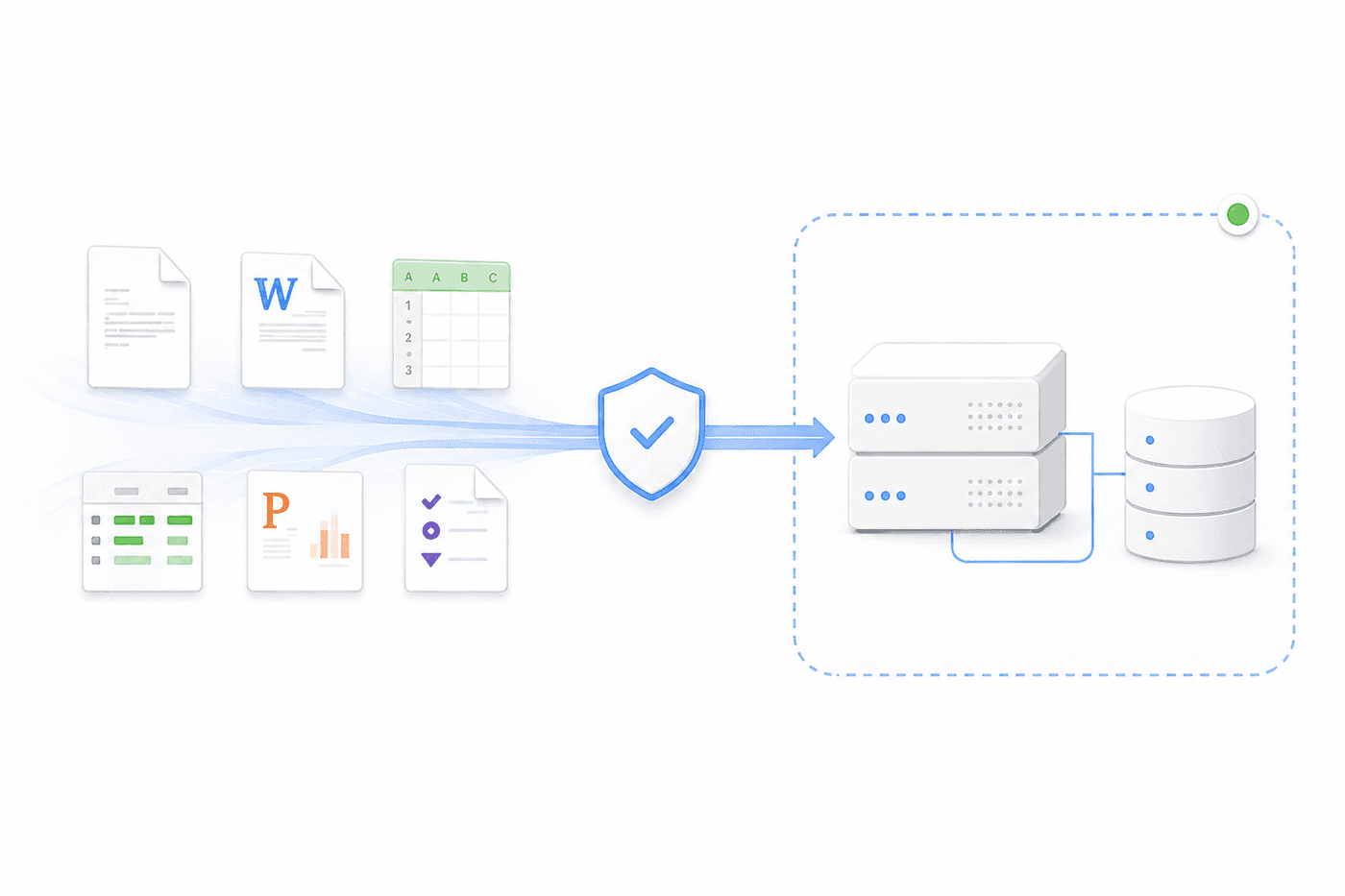
Many organisations should not rip the library out. Author the living file in the suite, and put the governed copy somewhere that still does retention. The SharePoint comparison already describes that tier. The end-of-support date does not cancel it. Unsupported 2016 is a reason to stop depending on 2016. It is not a reason to pretend one product now does both jobs.
What does not come with the files
There is no connector that reads a SharePoint site and recreates it inside the suite. Nothing in the product documentation describes one. Content moves as files. The import switches an administrator can actually turn on are the ordinary Office and text formats: doc, docx, wps, wpt, md, txt, xls, xlsx, xlsm, csv, ppt, pptx, plus xmind and ordinary attachments. That list is the editor configuration reference, not a promise about your worst workbook.
A SharePoint page is not in that list. A web part is not. A list with a lookup column is not. If the valuable object in the farm is a page tree, you are looking at a wiki-shaped problem, which is a different comparison: a self-hosted office suite versus a wiki.
What you rebuild, even when the file imports cleanly:
- Site permissions and anything inherited from the library
- Metadata columns and content types
- Check-in history. An imported file carries the bytes you exported, not the version chain the library had
- Sharing links, comments and whatever workflow sat on the item
The same limit is spelled out for Confluence, Google Workspace and Notion in migrating without a connector. The migration guide is the place to test an import against a real library, not against a sample docx.
How to tell which job you have
Work in this order. Most end-of-support projects fail because they start at the bottom.
Count the objects. Files, pages, lists. If the thing people would miss is a page or a list, a suite import will look empty and the project will be declared a failure of the editor. It was a failure of the inventory.
Ask whether Online is allowed for this class of file. If it is, stop. Price SharePoint Online, including the desktop apps people still need for the workbooks a browser editor will mangle. Do not run a suite pilot to avoid a conversation with procurement.
If Online is not allowed, ask whether Subscription Edition still passes the review. Boundary, support contract, people who can run the farm. If yes, that is the incumbent’s own answer, and a suite has to beat it on the active-file job, not on “we are also software.”
Only the remainder is a suite evaluation. Take five real files, not a vendor sample. One external guest, one leaver, one export, one admin who should not see the document. Then ask where an AI prompt would go if you turned it on. Security and data control is the question list. If inference cannot be pointed at an endpoint you nominate, the boundary you just protected with an on-premises suite is already open.
Browser co-authoring on a Server farm depended on a separate Office web component beside the farm. Confirm that component’s own lifecycle before you assume an upgrade to Subscription Edition keeps editing in the browser. This page will not invent that date.
Where a suite is the wrong replacement
Choose Subscription Edition or SharePoint Online, not a suite, when any of these are the actual requirement:
- Records, retention labels or eDiscovery have to stay in the Microsoft stack
- The site is a publishing intranet, and the pages are the product
- The worst spreadsheets need desktop Excel, and Microsoft 365 is allowed
- You wanted a cheaper SharePoint. A suite is a different object model, not a discount
OfficeDocs is a self-hosted suite for the active files: real-time docs, sheets and slides, permissions and audit on the document, deployed in a boundary you operate. It does not import a site collection. It does not replace a term store. If that is the gap in your inventory, say so in the pilot scope, or the pilot will be graded against a job it was never going to do.
Frequently asked questions
When did SharePoint Server 2016 and 2019 leave extended support?
The Microsoft lifecycle table lists the extended-support end for both as 15 July 2026 at 06:59:59 Pacific. Mainstream support had already ended, on 14 July 2021 for 2016 and on 10 January 2024 for 2019. As of 24 September 2026 both dates are in the past.
Is Subscription Edition the supported on-premises path?
The Subscription Edition lifecycle page lists a start of 2 November 2021 and a retirement of In Support, under the Modern policy. It does not publish an end date. The 2019 lifecycle page links its migration guidance to an upgrade to Subscription Edition. Confirm the retirement field before treating that as permanent.
Does SharePoint Online keep a Server library on-premises?
No. SharePoint Online stores the library in Microsoft 365. That can be the right move when the content is allowed to leave the building. It is not an on-premises upgrade, and it does not satisfy a requirement that the working files stay on infrastructure you operate.
What from a SharePoint library can a document suite import?
Office files, in the formats the suite already documents, including doc, docx, xls, xlsx and pptx. There is no connector that reads a SharePoint site and recreates it. Site permissions, metadata columns, page history, web parts and list apps are rebuilt or left behind. A SharePoint page is not a Word file.